
module · create
From concepts to creatives, in your brand’s look.
Neo writes your concepts from your customers’ own words: persona, angle, offer, formats and hooks. Create generates the statics in your brand’s look, then adapts them to every format and language. You test more angles without multiplying your design budget.
4,000 advertisers and agencies already use Creaboost.


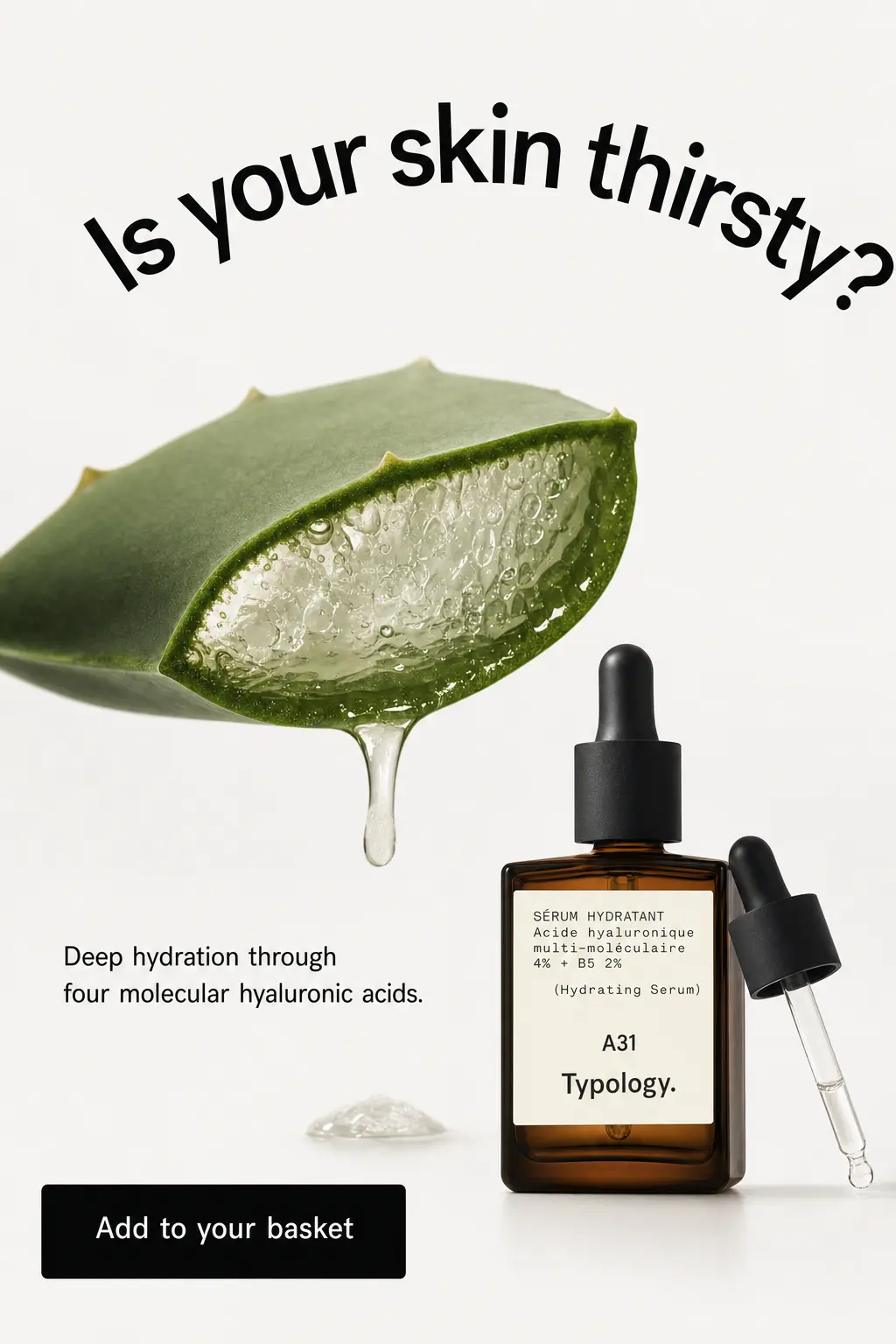

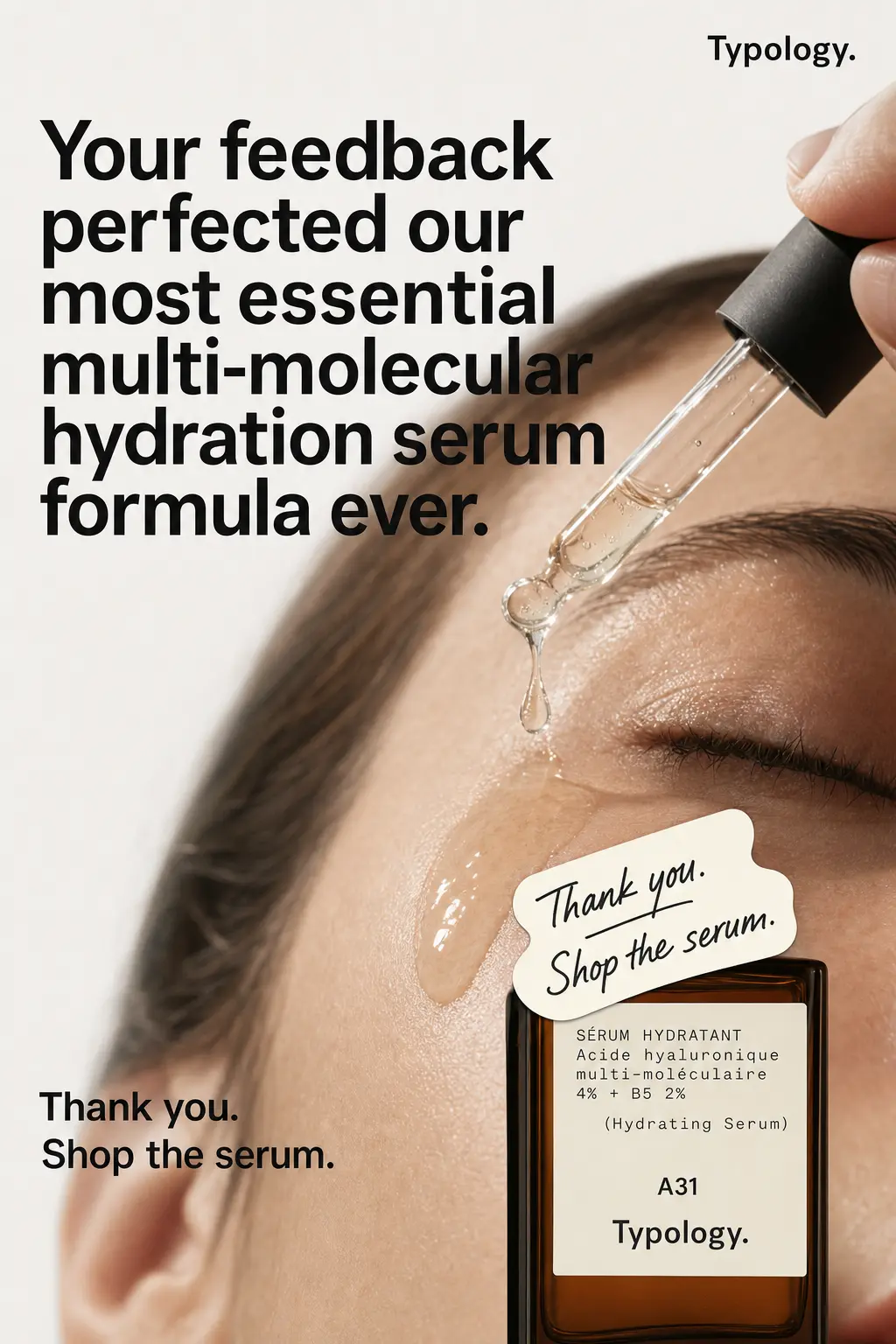
Every creative starts from a concept written in your customers’ words.
Before anything is generated, Neo writes the concept: who the ad speaks to, why they should buy now, and what to offer. It draws it from your customer reviews, your FAQ, your catalog and your live ads. On request, the concept then becomes a script, for your designer or for a UGC shoot.
- Persona × angle × offer: a specific life situation, a reason to buy now, a product and its terms.
- The promise, the proof and the objection answered, quoted the way your customers write it.
- Two or three formats, and five to eight hooks per concept, each written on three layers: what you see, what you hear, the text on screen.
- The script, on request: nine beats from the hook to the call to action, with the spoken line, the on-screen text and the shots, for a designer or your UGC creators.
One tool for each step, from product page to test-ready creative.
The first six are in the demo at the top of this page. Each starts from what you already have: a URL, a creative, a photo.
generate
Product ad
Paste a product page URL. Create reads its visuals, its messaging and your brand identity, then generates test-ready statics, one per angle: problem, benefit, proof, customer reviews…
Variations
Start from a creative that works. Create reads its product, offer and hook, then generates dozens of variations: new settings, new hooks, new staging.
Clone
Pick a competitor’s creative, from Discover or anywhere else. Create rebuilds its structure, hook and layout with your product, your look and your tone.
Discover →
adapt
Resize
Send one creative, or a batch. Create recomposes it in 1:1, 4:5, 9:16 and 16:9, with the product, text and logo repositioned for each format, no stretching.
Translate
Pick the languages of your markets. Create translates the text in the creative and keeps the layout, visuals and brand look: one creative per language.
product photos
Remove background
Send a product photo. Create cuts out the product and places it on a transparent background, a white one or the color you pick.
Packshot
Send a photo taken on a phone. Create turns it into a studio packshot: you pick the background, shadows and lighting, for your store and your ads alike.
Your brand look holds in every creative and every format.
Create reads your brand identity from your product page and your creatives: logo, colors, fonts and tone. Every creative it generates follows it. When a creative changes format, its layout is recomposed for that format.
logo
The logo stays whole and legible.
Never cropped or recolored, with its clear space around it.
colors
Your brand colors.
Read from your site and your existing creatives.
fonts
The fonts of your headlines and body copy.
Hooks keep the hierarchy of your creatives.
tone
Hooks that sound like your brand.
The tone follows your site and your ads.
4 formats
One layout per format.
Product, text and logo repositioned for each format, no stretching.
launch
Generate, review, download in every format.
Create makes the files; your team puts them live. Creaboost has no write access to your ad accounts.
01
Start from a source
A product URL, one of your creatives, a competitor’s creative, a product photo, or the hooks of a Neo concept.
02
Generate
Create makes the statics, one per angle, or the variations you asked for. Each creative uses AI credits.
03
Review
Keep the ones that hold the brand and the concept. Drop the rest and generate new ones.
04
Download
The creatives you kept, in every format and language, ready to upload to Meta, Google or TikTok.
05
Measure
Once they’re live, Neo reads their results by concept, ad set and creative surface in the Monday Meta review.
go further
From concept to brief, then to creative.
questions
What people ask us about Create.
What are AI credits?
They pay for generation in Create. One creative at standard resolution costs 8 AI credits; 2K and 4K take more. Every plan includes a monthly volume of AI credits, separate from Discover credits.
See pricing →Who owns the creatives I generate?
You do: use them in your ads, on your site and on your social accounts. With Clone, Create reuses the structure and hook of a creative; the competitor’s visuals, copy and brand remain theirs. A customer quote used in a hook needs that customer’s consent.
Who does what, Neo or Create?
Neo writes the concepts, hooks and scripts from the brand memory. Create produces the files: Product ad, Variations, Clone, Resize, Translate. A variation shows the same concept to the same people and adds frequency; to reach new people, Neo proposes a new persona, a new angle or a new offer.
Generate ad concepts →Can I start from my own assets?
Yes. Your creatives for Resize, Variations and Translate, your product photos for Remove background and Packshot. For Product ad, a URL is enough: Create reads the visuals on the page.
Which formats and sizes?
Static images in the four ad platform ratios: 1:1 for the square feed, 4:5 for the portrait feed, 9:16 for Stories, Reels and TikTok, 16:9 for YouTube. Standard resolution is included; 2K and 4K use more credits. For a video, Neo writes the nine-beat script and its hooks.
Which languages does Translate support?
The languages of your markets: English, German, Spanish, Italian, Dutch, Catalan and more. The layout, visuals and brand look stay those of the original creative. Have a native speaker check each language before you launch.
Test more angles, in your brand’s look.
Book a demo: we start from one of your product pages to generate your first creatives, and Neo writes a concept drawn from your customer reviews.